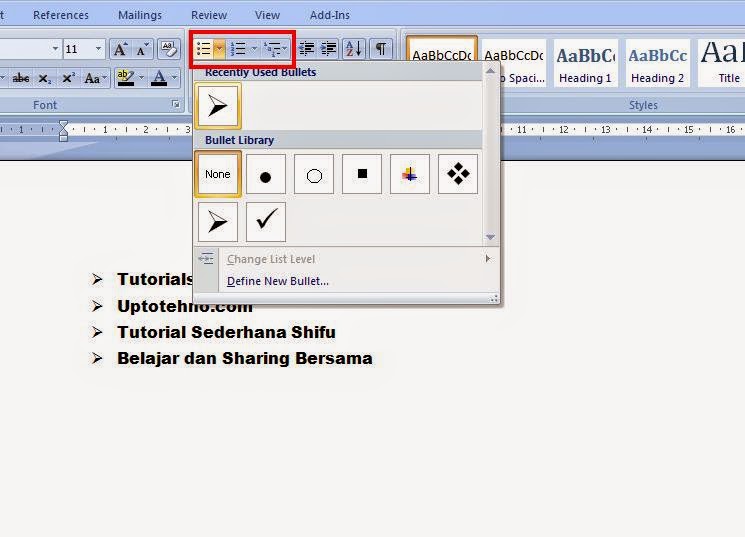
Cara Membuat Bullet and Numbering di Microsoft Word

  • Pada lembar kerja Ms.Office Word
  • Blog kata yang ingin diberi Bullet atau Number
  • Klik menu Home pada Menu Bar
  • Pilih Bullet atau Number pada group Paragraph
    Cara Membuat Bullet and Numbering Pada Ms.Office Word
  • Maka akan secara otomatis tampil Bullet atau Number yang diinginkan.

Posting Komentar

Cookie Consent
We serve cookies on this site to analyze traffic, remember your preferences, and optimize your experience.
Oops!
It seems there is something wrong with your internet connection. Please connect to the internet and start browsing again.
Site is Blocked
Sorry! This site is not available in your country.